How to Spot Fake Invoices: 5 Red Flags to Prevent Wire Transfer Fraud
Just this year, an acquaintance of mine who runs a logistics company came inches away from wiring $45,000 to a fraudulent account and losing everything. The email he received didn’t look fishy at all, and the invoice was attached right there. The only reason he didn’t hit that “send” button was a gut feeling—something just didn’t sit right with the font in the signature.
This isn’t just simple spam or a minor hack; this is something that can cost you a fortune. The FBI calls it Business Email Compromise (BEC), and they explain that it can cost companies over $2.9 billion a year. The reality is simple: these people are professionals who specialize in creating fake invoices to impersonate your own vendors. If you trust a PDF just by looking at it, they’re probably going to end up robbing you.
The 30-Second Security Check
Don’t overthink it. Look at the actual email address (not just the name), watch out for sudden banking changes, and ignore the manufactured urgency. Your only real shield? A 60-second “out-of-band” verification: call the vendor at a trusted, known number to confirm payment changes before you authorize a thing.
1. The Anatomy of a Modern “Fake Invoices” Scam
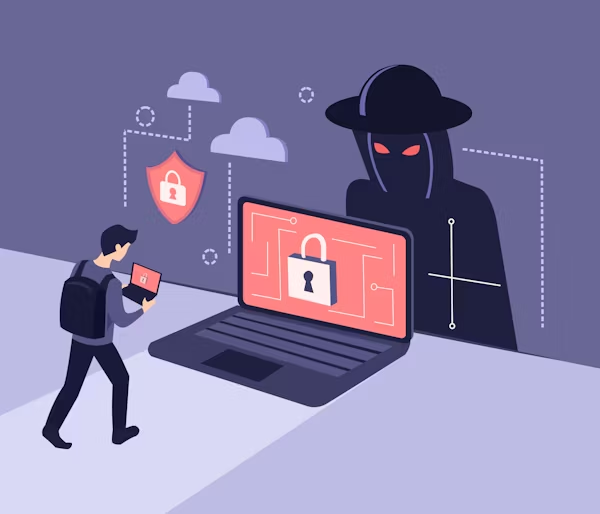
Invoicing scams have evolved. You don’t see those old emails asking for random help anymore. Today’s professionals have different tactics; basically, a hacker gets into your vendor’s email server and just sits there waiting. They read your conversations, learn your tone, and study your billing cycles for weeks. They wait for that big $25,000 invoice they know is coming, and then they jump the gun and send you a “corrected” version. It doesn’t look like a hack—it looks like a normal conversation with a long-time partner or vendor you trust. This psychological manipulation is why Verizon’s detailed analysis on financial breaches confirms that the “human element” remains the primary gateway for attackers.
2. 5 Critical Red Flags to Spot Fake Invoices
This is what people who know how to protect themselves and secure their accounts are doing today.
Flag #1: Display Name Deception and “Typosquatting”
The name says “Global Logistics,” but the address is billing@global-logistics-corp.com instead of .com. Professionals now register and use domains that vary only by a character or two—spots where people usually don’t look because they only focus on the name they see.
- The Reality: When you check emails on your phone, most apps don’t show the full email address. Never authorize a major payment from a mobile device; always do it from a computer.
Flag #2: Manufactured Urgency
A message like the one below is a major red flag and worth stopping to check if it’s really what you’re expecting or a scam: “Payment must clear by 5 PM or we stop the shipment.” These professionals use this kind of language because they want you to act fast without thinking or analyzing clearly. They want to distract you or force you to skip your own security protocols.
Flag #3: The “New Bank” Story
This is the ultimate red flag for detecting fake invoices that you have to check no matter what. A vendor you’ve paid for years suddenly has a “new account due to an audit”? Most of the time, that’s just not true. Changing a primary business remittance account is a massive administrative headache, so it usually doesn’t happen over a casual email.
Flag #4: Subtle Metadata and Location Inconsistencies
Check the invoice PDF—this is one of the most important steps. Does the “Remit To” address actually match the vendor’s physical headquarters? If a vendor from a specific place suddenly wants a wire transfer to a random bank in Portugal with no prior history, that’s a clear sign that something is wrong and needs to be verified.
Flag #5: Changes in Tone or Grammar
You know how your contacts usually talk and what kind of messages they send. If a contact suddenly becomes strangely formal, stiff, or starts making grammatical errors they never make, it’s very likely the account is compromised. Stay alert, because often when the “voice” changes, the person has too.
3. The “Golden Rule”: Out-of-Band Verification
I always say this: Never trust an email to verify an email. It’s common sense that isn’t so common.
- The Move: Pick up the phone.

- The AI Warning: Be careful with AI Voice Cloning. It might sound like a movie or something unrealistic, but the reality is that voice cloning is happening today. If the person on the other end sounds like your contact but the conversation feels “off,” robotic, or scripted, ask a “human” question to try and rule out a clone. Ask about a specific project detail from last month or a mutual colleague. Break the AI’s script immediately to catch a clone fast, avoiding the boardroom-level risks of AI-driven fraud we are seeing today.
- The Solution: Call the number you have in your CRM. Not the one in the suspicious email.
4. ACH vs. Wire Transfers: The Window of Loss
Here is the part that keeps CFOs up at night.
- Wire Transfers: They are essentially cash. Once the money hits a fraudulent account, it’s moved to a “mule” account in minutes and is virtually irreversible.
- ACH Transfers: You might have a tiny window—a few hours—to try and claw it back if you catch the fraud immediately, but don’t count on it. The banking system in 2026 is still frustratingly slow to protect you, but incredibly fast at moving your money out.
5. Internal Protocol: Building a Human Firewall
Software is great, but a “human firewall” is even better. Your team needs a Dual Approval Policy. This means one person prepares the payment (the initiator) and a second person (the authorizer) makes the phone call to verify the bank details against your CRM before releasing the funds. It might seem like a hassle, and the process takes a bit longer, but it’s worth it. It’s much better to be the professional who double-checks things than to have to explain a $50,000 loss.
6. What to Do If the Money Has Already Left
If you realize you’ve made a mistake that just cost you money, stop reading and act immediately. Every second that passes is another obstacle to getting your money back.
- Call your bank’s fraud department. Demand a “Wire Recall” or a fraudulent transfer freeze right away.
- File an IC3 report. Go to www.ic3.gov. You’ll need that report number for your insurance and for the bank to take the case seriously.
- Call your insurance. Check if you have “Social Engineering” coverage. Most basic cyber policies exclude this, which is a brutal surprise for most SMBs.
FAQ: Staying on the Defensive
Q: Can a fake invoice come from a real email? Absolutely. It’s called an Account Takeover (ATO). The sender is real, but the instructions are a scam. Q: Is it safe to open the invoice PDF? Viewing it is usually safe on modern systems, but never enable “Macros” or follow links inside the PDF. That’s how they get into your system. Q: Why won’t the bank refund me? Because technically, you authorized the payment. Under US banking laws, if you tell the bank to move money, they follow orders. They aren’t your babysitter.
Conclusion: Trust Nothing
Scammers rely on you being an efficient professional who handles things in the moment, hoping that in the rush, you’ll slip up and make a mistake. Don’t be that guy. Nowadays, the safest way to run a business is to be a little paranoid—within reason. Add that extra phone call. Add that extra check. It’s the only way to keep your money safe and make sure you don’t end up with a scare you’ll regret.