Cybersecurity Tools for Small Business: Enterprise-Grade Protection on a “Small Business” Budget
Finding the right cybersecurity tools for small business shouldn’t feel like a luxury tax; it’s the difference between staying open or closing your doors after a hack. But let’s be real: why do we leave security aside in SMBs? We spend a fortune on a physical alarm for the warehouse but leave the digital front door wide open.
In the tech world, we often focus on “what is ransomware?” but we rarely talk about the actual “battle scars” and the forensic moves you must make when a disaster hits your office. To build a resilient defense, you need a specific set of cybersecurity tools for small business that focus on high impact rather than high cost. You don’t need a million-dollar budget; you need to stop being the easiest target on the block.
The Fortress Reality: Security by Design
Think about a castle. They weren’t built just to look good; they were designed for security from the ground up. High walls, moats, and towers—everything was built thinking: “If they try to get in, how do I defend myself?”
It’s the same as an airport. We complain about the endless security checks, but it’s all about prevention. So, why is your business any different? The first step to SMB security isn’t buying a tool; it’s killing the mindset that “it won’t happen to me.”
1. The “It’s Me” Syndrome: Training the Human Firewall ($0)
We’ve all seen it. Someone rings an office intercom and asks, “Who is it?” and the answer is just: “It’s me.” And we buzz them in! This is exactly how most businesses get hacked. Even if you have a Multi-Factor Authentication (MFA) system, if you just click “accept” on your phone without thinking (MFA fatigue), you’re letting the attacker into your kitchen.
The Strategy: Gofish
90% of attacks come through phishing. Instead of paying for expensive “consultancy,” use Gofish. It’s 100% Open Source and free.
- The Action: Create your own controlled phishing campaigns. Send a fake email about a “package delivery” or a “bonus performance review.”
- The Goal: It’s not about catching people to punish them; it’s about those “training pills.” If 25 out of 50 employees fall for it, you know exactly where your “moat” is leaking.
2. “Your Keys are My Keys”: Auditing with Have I Been Pwned
Hackers love LinkedIn. They go there, search for “Financial Director,” and boom—they have a target for BEC (Business Email Compromise). But it gets worse. Your email and password might already be out there in plain text on the Dark Web.
- The Tool: Use Have I Been Pwned. It’s a simple, free tool to see if your corporate accounts have been leaked in a past breach.
- The Technical Reality: If your account is red, change the password immediately. Use robust keys and rotate them. If the attacker already has your password from a 2024 leak, no antivirus in the world will save you because they aren’t “hacking” in—they are logging in.
3. The “Firewall for Show”: Don’t Just Buy It, Configure It
Many SMBs invest in a Sophos or a Fortinet firewall, which is great. But then, they set a rule that says “All-All” (Allow everything to everywhere). That’s not a security tool; that’s an expensive ornament. If you aren’t using the firewall to actually filter information, you are wasting your money. You don’t need the most expensive software; you need to make sure the one you have isn’t letting every piece of junk pass through. Close every port by default and only open what you actually use.
4. EDR: The “Black Box” and the Calculator Test
Traditional antivirus is like a guard who only recognizes old thieves. Modern ransomware (like WannaCry or Petya) is fast and aggressive. An EDR is perhaps the most critical among all cybersecurity tools for small business, as it monitors behavior instead of just looking for known signatures. Think of it as a black box for your computers.
- The “Weird Process” Test: If you open your Task Manager and see a process that makes no sense—like calculator.exe or notepad.exe running in the background consuming high CPU or network—kill it immediately. Attackers often hide their scripts behind “legitimate” names to blend in.
THE FORENSIC GOLDEN RULE:
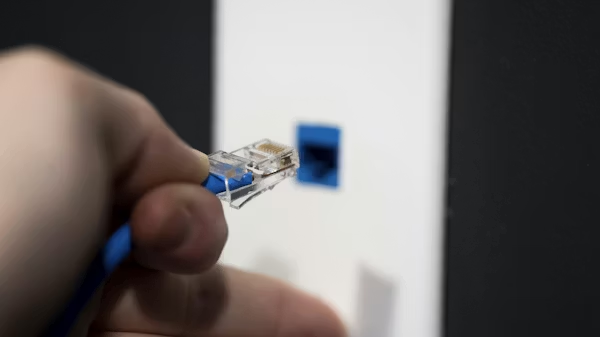
If you see your files changing or a ransom note appears: Disconnect the network cable, but DO NOT turn off the computer.
Why? Turning it off is a fatal mistake. Much of the evidence, the decryption keys, and the attacker’s “fingerprints” are stored in the RAM (Volatile Memory). If you kill the power, that info is lost forever, and a forensic analysis will be impossible. Disconnect the ethernet to stop the Lateral Movement (the virus spreading to other PCs), but keep the power on to save the evidence.
Comparing Cybersecurity Tools for Small Business vs. Enterprise
| Feature | Enterprise (The “Hype” Way) | SMB (The “Survival” Way) |
| Budget | Millions of dollars | A few hundred (or $0) |
| Phishing | Expensive SaaS licenses | Gofish (Open Source) |
| Detection | 24/7 SOC Teams | Well-configured EDR |
| Access | Complex Zero Trust | VPN + MFA |
| Backups | Multi-site Data Centers | 3-2-1 Rule (Offline copy) |
Note: For a small business, the average cost of a breach can be devastating. As highlighted in the World Economic Forum’s Global Cybersecurity Outlook 2025, the cyber resilience gap between global leaders and smaller organizations is reaching a critical point, making these “survival” tools a financial necessity rather than an IT luxury.
5. The Safety Net: Backups that Actually Work
If you get hit by ransomware and you don’t have a backup, you’re basically donating your business to a hacker. But having a backup isn’t enough.
- The Error: Many shops keep their backups on the same network. When the ransomware spreads, it encrypts the backup too.
- The Fix: Use the 3-2-1 Rule. 3 copies of your data, 2 different media, and 1 copy completely off-site and disconnected (Air-gapped). If it’s not offline, it’s not a backup; it’s just another target.

6. Remote Work: Shodan is Watching You
Since the remote work boom, we’ve forgotten to secure the home office. If you use a tool like Shodan (the Google for exposed devices), you can see how many businesses have their “Remote Desktop” (RDP port 3389) wide open to the world. If you leave an open door, someone will walk in.
The 4 Pillars of Remote Survival:
- VPN: A mandatory tunnel for anyone connecting to the office. No exceptions.
- MFA: Don’t assume your users “won’t get it.” It’s just a notification on their phone. It eliminates 99% of the risk from stolen credentials.
- Endpoint Protection: Use EDR on laptops that leave the building.
- No Personal USBs: These drives are “world travelers.” They’ve been in a thousand infected computers. Block USB ports on work laptops to avoid a major train wreck.
Choosing these cybersecurity tools for small business is about more than just software; it’s about building a culture of resilience.
The Bottom Line
In cybersecurity, everything is anonymous until it hits your bank account—usually via Bitcoin because it’s untraceable.
Don’t wait for the regrets. You don’t need a massive enterprise infrastructure; you need to be smart. Implementing these cybersecurity tools for small business is not about spending more, but about spending smarter. Use MFA, keep your software updated, build a Timeline of your logs to understand where attacks start, and for heaven’s sake, stop saying “It’s me” to every digital knock on your door. In this game, it’s better to be a bit paranoid today than bankrupt tomorrow.